In this guide, you will learn how to edit texts within the Webnode editor using artificial intelligence. This tool helps ensure stylistic consistency, speed up the creation of marketing texts, and generally make your work easier.
The feature for creating text fields with the help of AI is available with the Standard, Profi, or Business premium service packages.
Editing via the AI Assistant
1. In the editor, click into a text field and select the AI Assistant option. Information about creating new text using artificial intelligence can be found in our guide How to create a text using the AI Assistant.
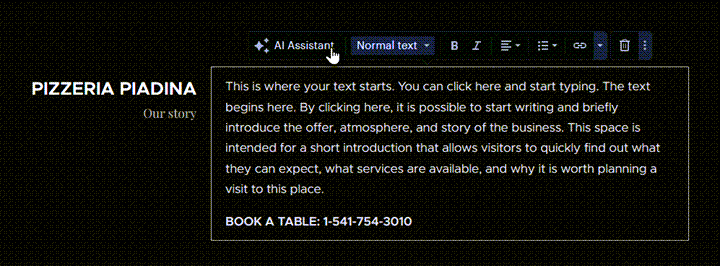
2. Next, choose how you want to edit the text.
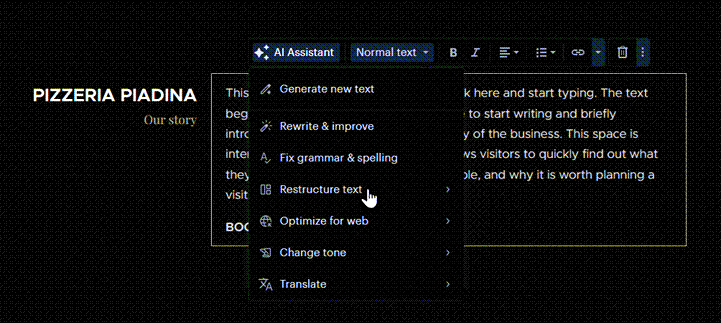
Rewrite & improve
This function rewrites the text into a different form and adjusts it to be more readable.
Fix grammar & spelling
With this function, you can correct typos and shortcomings in the text.
Restructure text
Here you can add bullet points and simplify the text, shorten the text, or extend it.
Optimize for web
With this function, you can adjust the text for SEO – rewrite it to make it more engaging or add a call to action.
Change tone
You can easily change the style of communication to be more or less formal.
Translate
You can translate the text into another language. More information about translation using artificial intelligence can be found in our article How to translate a text using the AI Assistant.
TIP: Using AI, you can also insert entire sections, pages, or blog articles.