This article will describe how to set up PayPal as a payment method for your online store. If you want your customers to be able to pay using PayPal, you have to be sure that you have a PayPal Business account. If you do not yet have a business account, you can see how in the article How to Create a PayPal Business Account.
1. Add a payment method by following the instructions in How to Set Up Payment Methods.
2. Select PayPal.

3. Enter the email address associated with your PayPal account and click the here link at the top of the window. Save your PayPal account in the e-shop settings by clicking Save.

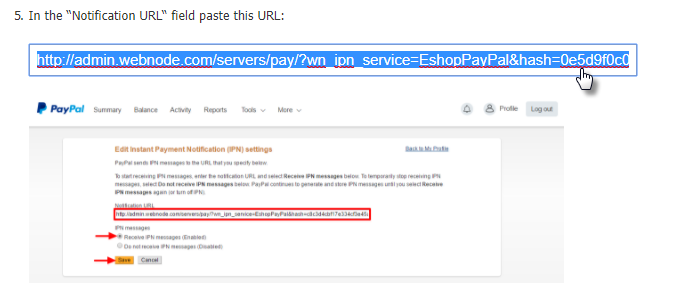
4. Next, open the settings of PayPal and copy the address found in step 5.
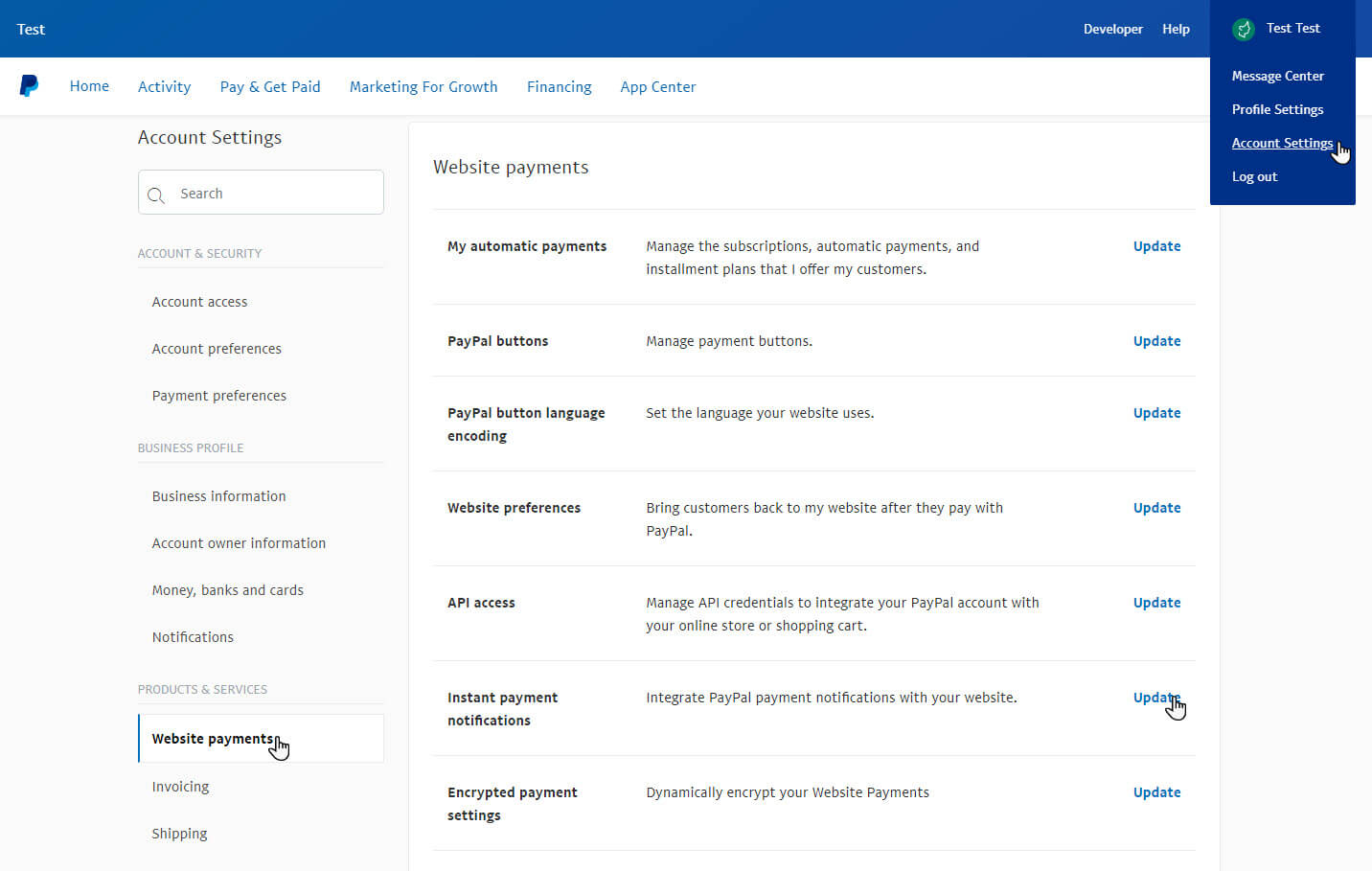
5. Log in to your PayPal account. In the top right, open Account Settings and then Website Payments. Click Update in the Instant Payment Notifications row.
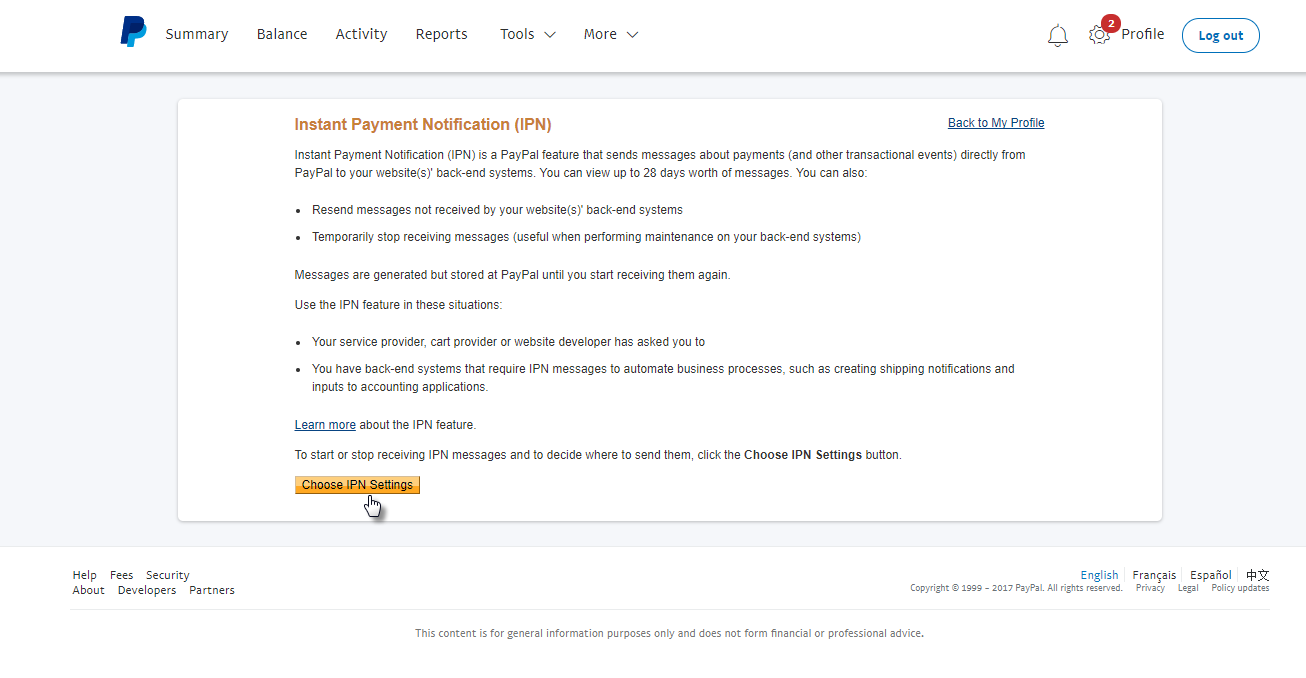
6. Click Choose IPN Settings.
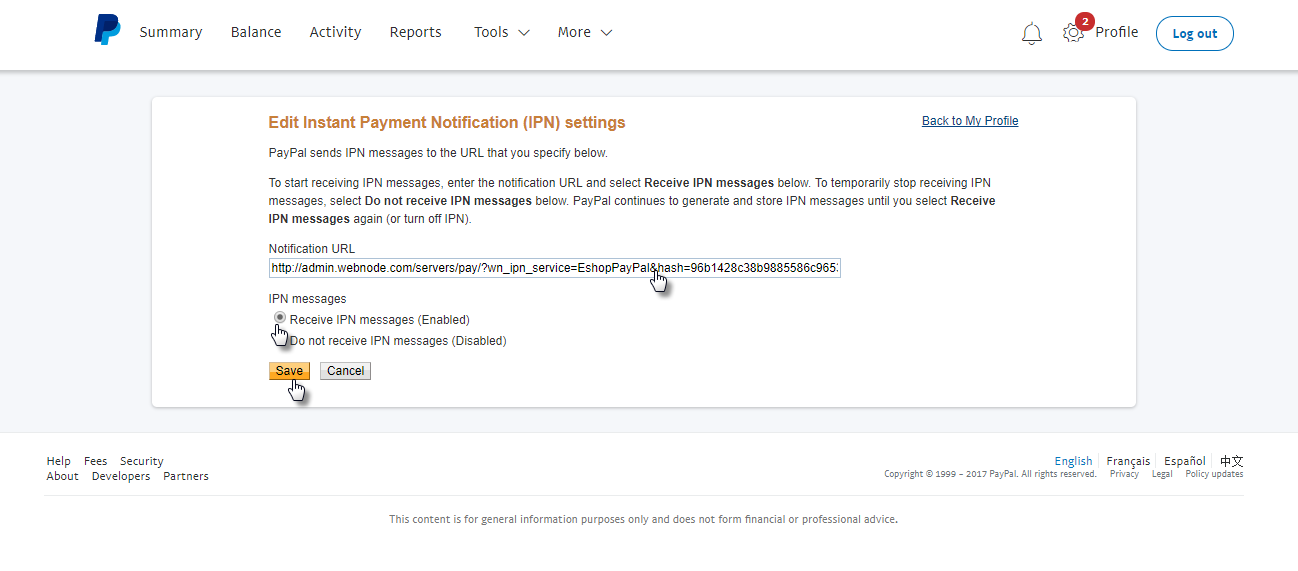
 7. In the Notification URL field, paste the address that you copied from the administration of your online store so that PayPal will automatically send you notifications related to transactions on your online store. Click Receive IPN messages and then click Save.
 8. Your PayPal account is ready to accept payments from your customers.