In this guide, you'll learn how to create a new website if you already have an existing website and a Webnode account. If you haven't registered yet, follow the guide How to Register with Webnode.
Create a New Website
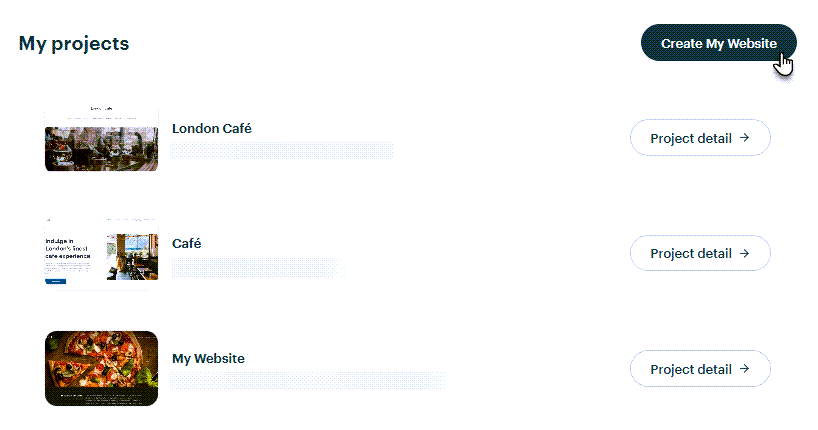
1. On the My Projects page, click Create My Website.
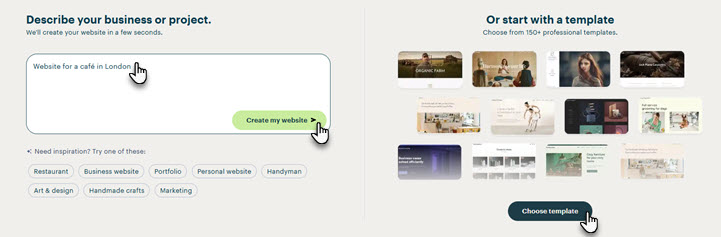
2. Choose whether you want to generate your website with AI (in this case, describe the type of website you want to create or select one of the suggested categories) or use a pre-designed template.
3. If you choose AI, you can select one of the AI-generated website proposals and customize it by clicking Edit selected proposal. You can also generate additional proposals by clicking I want more proposals (you can always return to the previously generated proposals). If you'd rather use one of the Webnode templates, click Choose a template.
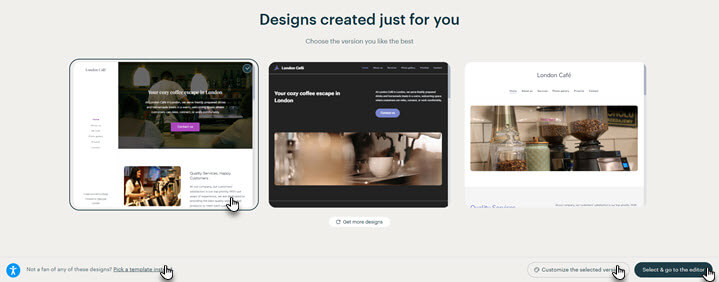
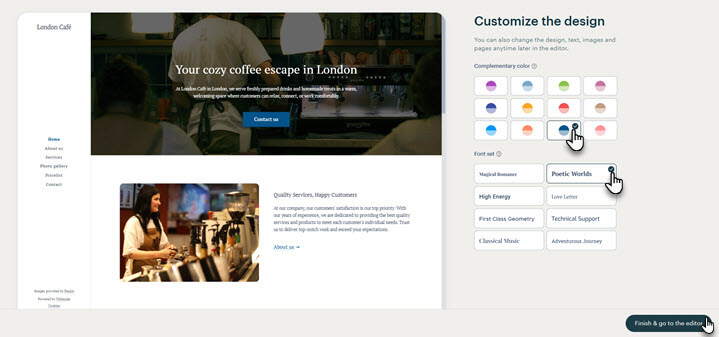
4. When editing the generated proposal, you can choose the website's color scheme and font.
5. If you decide to use a template, select one of the available templates. You can preview the template before selecting it by clicking Preview.

6. Whether you choose an AI-generated proposal or a template, your website will be created and ready for you to customize.
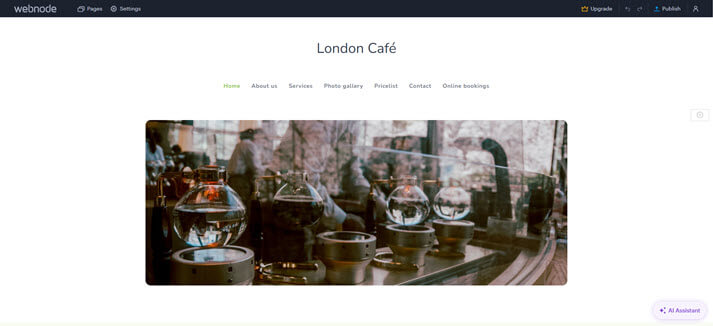
TIP: You can find detailed information about the Webnode editor in our Knowledge base, which you're currently browsing.